
Table of Contents
You hit publish, wait a few weeks, and nothing happens. The content isn’t bad. It just skipped the basics: a vague title, no internal links, a giant uncompressed image.
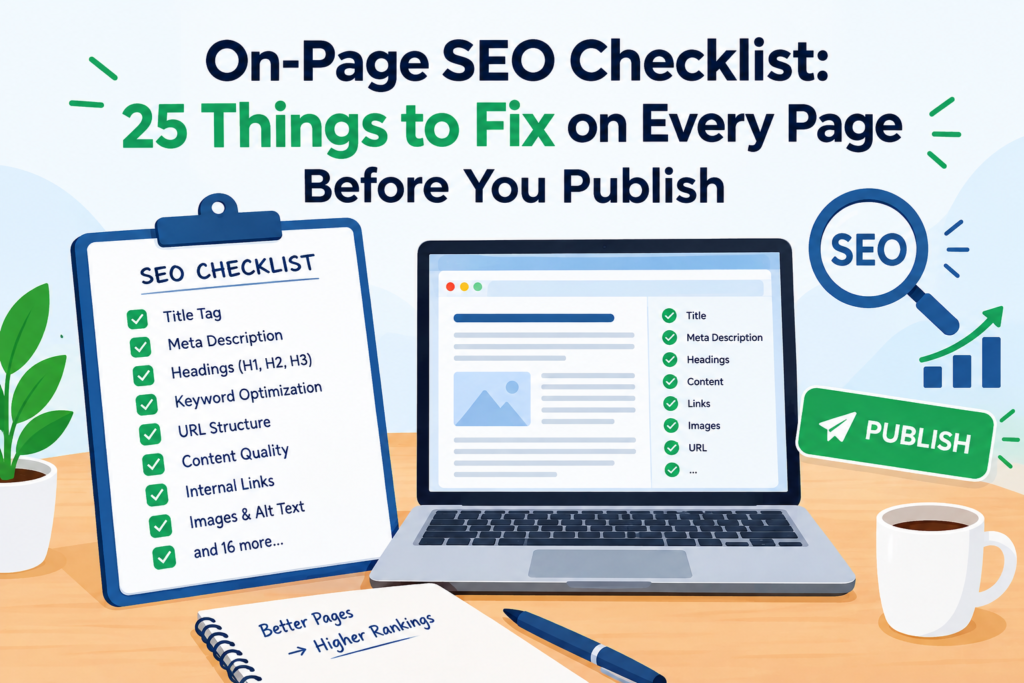
Small gaps like these quietly hold pages back. That is where on-page SEO comes in.
On-page SEO is the practice of optimizing the content and HTML of a single page so search engines understand it and readers enjoy it. Unlike off-page SEO, which depends on backlinks and mentions, you control every part of it.
This on-page SEO checklist covers 25 fixes. Each page takes about 15 minutes, and it works for blog posts, service pages, and product pages alike.
Why On-Page SEO Matters
Search engines can’t rank what they can’t understand. Clear titles, structured headings, and relevant links tell them what your page is about and who it helps.
Good on-page SEO also improves the reader’s experience. That means:
- Visitors find answers faster.
- Pages load quicker on mobile.
- Fewer people leave after one click.
Best of all, it costs nothing but time. Let’s start with the content.
How to Use This On-Page SEO Checklist
Don’t try to memorize all 25 items. Treat the list like a pilot’s pre-flight check.
Open your draft, work through each section in order, and tick items off as you go. For existing pages, run the same process and note what’s missing.
A few tips make it faster:
- Keep the checklist in a spreadsheet or document template.
- Fix titles and headings before touching anything technical.
- Save notes on what you changed so you can measure the impact later.
Content and Keyword Checks (Items 1–6)
Everything begins with the page’s purpose. Get this part wrong, and the rest won’t save you.
- Match search intent. Search your keyword and see what already ranks. If the top results are guides, don’t publish a sales page.
- Use one primary keyword per page. Two pages chasing the same term compete against each other, and neither wins.
- Place the keyword naturally. Use it in the title, H1, first paragraph, and conclusion. Never force it.
- Add related terms. Include variations and questions from “People also ask” to cover the topic fully.
- Go deeper than competitors. Add examples, steps, or original insight that other pages lack.
- Build trust. Show an author name, a last-updated date, and sources for your claims.
HTML Tags and URL Checks (Items 7–12)
These are the signals search engines read first, so they deserve extra care.
- Write a strong title tag. Keep it around 50–60 characters and put the keyword near the front.
- Craft a meta description. Aim for 140–155 characters with a clear benefit. It won’t boost rankings directly, but it improves clicks.
- Use exactly one H1. It should match the promise of the page.
- Structure with H2s and H3s. Headings should break the page into scannable sections.
- Shorten the URL. A slug like /on-page-seo-checklist beats /blog/2026/10/post-4721.
- Set a canonical tag. A self-referencing canonical prevents duplicate content issues.
Internal and External Link Checks (Items 13–17)
Links connect your page to the rest of the web, and to the rest of your site.
- Add 3–5 internal links to related pages on your site. This helps readers explore and helps crawlers discover content.
- Use descriptive anchor text. “Local SEO guide” says more than “click here.”
- Link to 1–3 trusted sources when you cite facts or tools.
- Fix broken links. Dead links frustrate readers and waste crawl effort.
- Avoid orphan pages. At least one other page should link to the new one.
Image, Media and Snippet Checks (Items 18–20)
Visuals support the content, but only when they are optimized.
- Write alt text and clear file names. Describe what the image shows in plain words.
- Compress images. Use WebP or AVIF where possible and set width and height to prevent layout shifts.
- Format for featured snippets. Use short direct answers, numbered lists, tables, and an FAQ section.
Technical and UX Checks (Items 21–25)
Even great content struggles on a slow or broken page.
- Check Core Web Vitals. Aim for LCP under 2.5 seconds, INP under 200 ms, and CLS under 0.1.
- Test on mobile. View the page on a real phone, not just a resized browser.
- Confirm indexability. Make sure there is no stray noindex tag, no robots.txt block, and that the page is in your sitemap.
- Add schema markup. Article, FAQ, Product, or LocalBusiness schema helps search engines read your content.
- Secure and polish. Use HTTPS, add Open Graph tags for social sharing, and avoid intrusive pop-ups.
Which Fixes Should You Do First?
Short on time? Not every item carries equal weight. Start with the changes that affect how search engines and readers first meet your page.
- Search intent and keyword placement decide whether the page deserves to rank at all.
- Title tag and meta description shape your click-through rate in search results.
- Internal links pass authority from strong pages to new ones.
- Page speed and mobile layout keep visitors from leaving.
Once those are solid, move on to schema, image polish, and social tags. These extras add value, but they rarely rescue a page with weak content. Think of them as the finishing touches that complete a good on-page SEO routine.
On-Page SEO Quick Reference Table
Bookmark this table for your pre-publish review.
| Content | Intent, keyword use, depth, trust signals | Google search results |
| HTML tags | Title, meta description, H1, URL, canonical | Yoast or Rank Math |
| Links | Internal, external, broken, orphan pages | Screaming Frog |
| Media | Alt text, compression, snippet formatting | Squoosh, TinyPNG |
| Technical | Speed, mobile, indexing, schema | PageSpeed Insights, Search Console |
Common On-Page SEO Mistakes
Even experienced marketers slip up. Watch out for these:
- Keyword stuffing. Repeating a phrase unnaturally hurts readability.
- Duplicate titles. Every page needs its own title and description.
- Ignoring intent. A well-optimized page still fails if it answers the wrong question.
- Skipping updates. Old pages need regular refreshes to stay relevant.
Frequently Asked Questions
What is on-page SEO?
On-page SEO means optimizing elements on your own web page, such as content, titles, headings, links, images, and speed, so search engines rank it higher and users get a better experience.
How long does on-page SEO take to work?
Small fixes can show results in a few weeks, but it often takes two to three months for rankings to settle. Competition and site authority affect the timeline.
What is the difference between on-page and off-page SEO?
On-page SEO covers what you control on your site. Off-page SEO covers signals from elsewhere, mainly backlinks, brand mentions, and social sharing.
How often should I update on-page SEO?
Review important pages every six to twelve months. Update sooner if rankings drop, information changes, or competitors publish stronger content.
Is on-page SEO different for e-commerce pages?
The core steps are the same. Product pages also need unique descriptions, product schema, clear images, and internal links to related categories.
Conclusion
On-page SEO is the part of ranking you fully control. This checklist gives you a repeatable routine for content, tags, links, media, and technical basics.
Start small. Audit your top five pages with the checklist, fix what’s missing, and track the results in Google Search Console. Then make it a habit before every publish.
You can check my services page to learn more.
Do the basics well, and every new page starts with a real chance to rank.